---
title: easyStatement
description: easyStatement accessability statement
---
[Skip to content](https://help.sitecockpit.com/en/documentation/sections/tools-features/easystatement#main-content)
- [English](https://help.sitecockpit.com/en/documentation/sections/tools-features/easystatement)
- [Deutsch](https://help.sitecockpit.com/de/dokumentation/bereiche/tools-features/easystatement)
English
Show submenu for translations

- [Tickets](https://hub.sitecockpit.com/portal)
- [Dokumentation](https://help.sitecockpit.com/de/dokumentation)
- [Abmelden](https://146086235.hs-sites-eu1.com/_hcms/mem/logout)
Open main navigation
Close main navigation
- [Tickets](https://hub.sitecockpit.com/portal)
- [Dokumentation](https://help.sitecockpit.com/de/dokumentation)
- [Abmelden](https://146086235.hs-sites-eu1.com/_hcms/mem/logout)
- - [English](https://help.sitecockpit.com/en/documentation/sections/tools-features/easystatement)
- [Deutsch](https://help.sitecockpit.com/de/dokumentation/bereiche/tools-features/easystatement)
English
Show submenu for translations
- [Contact us](mailto:kontakt@sitecockpit.com)
[Contact us](mailto:kontakt@sitecockpit.com)
How can we help you?
- There are no suggestions because the search field is empty.
1. [Documentation](https://help.sitecockpit.com/en/documentation?hsLang=en)
2. [Backend](https://help.sitecockpit.com/en/documentation/backend?hsLang=en)
3. [easyStatement](https://help.sitecockpit.com/en/documentation/backend?hsLang=en#easystatement)
# easyStatement
## easyStatement enables you to create a accessibility statement for your website or digital platform in just a few steps. Please pay attention to the contextual guidance and legal notes provided throughout the process.
- [**Process Overview**](https://help.sitecockpit.com/en/documentation/sections/tools-features/easystatement#Process-Overview)
- [**Accessing the Generator**](https://help.sitecockpit.com/en/documentation/sections/tools-features/easystatement#Accessing-the-Generator)
- [**Entering Company Information**](https://help.sitecockpit.com/en/documentation/sections/tools-features/easystatement#Entering-Company-Information)
- [**Assessing Accessibility Status**](https://help.sitecockpit.com/en/documentation/sections/tools-features/easystatement#Assessing-Accessibility-Status)
- [**Declaring Additional Technologies and Barriers**](https://help.sitecockpit.com/en/documentation/sections/tools-features/easystatement#Declaring-Additional-Technologies-and-Barriers)
- [**Declaring WCAG Conformance Criteria**](https://help.sitecockpit.com/en/documentation/sections/tools-features/easystatement#Declaring-WCAG-Conformance-Criteria)
- [**Generating and Managing Statements**](https://help.sitecockpit.com/en/documentation/sections/tools-features/easystatement#Generating-and-Managing-Statements)
- [**Embedding on Your Website**](https://help.sitecockpit.com/en/documentation/sections/tools-features/easystatement#Embedding-on-Your-Website)
The generated accessibility statement serves as a **template**.
We strongly recommend that you have the final version **reviewed by qualified legal counsel** to ensure it meets applicable accessibility regulations.
### **Process Overview**
#### **Accessing the Generator**
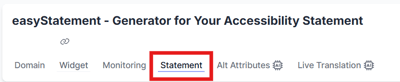
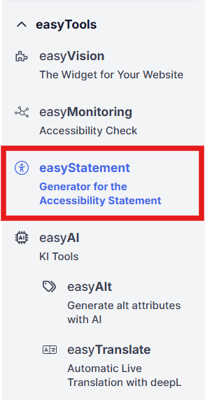
You can access the generator via the **"easyStatement" menu** or by clicking on the **"Statement" tab** in the main navigation:
#### **Entering Company Information**
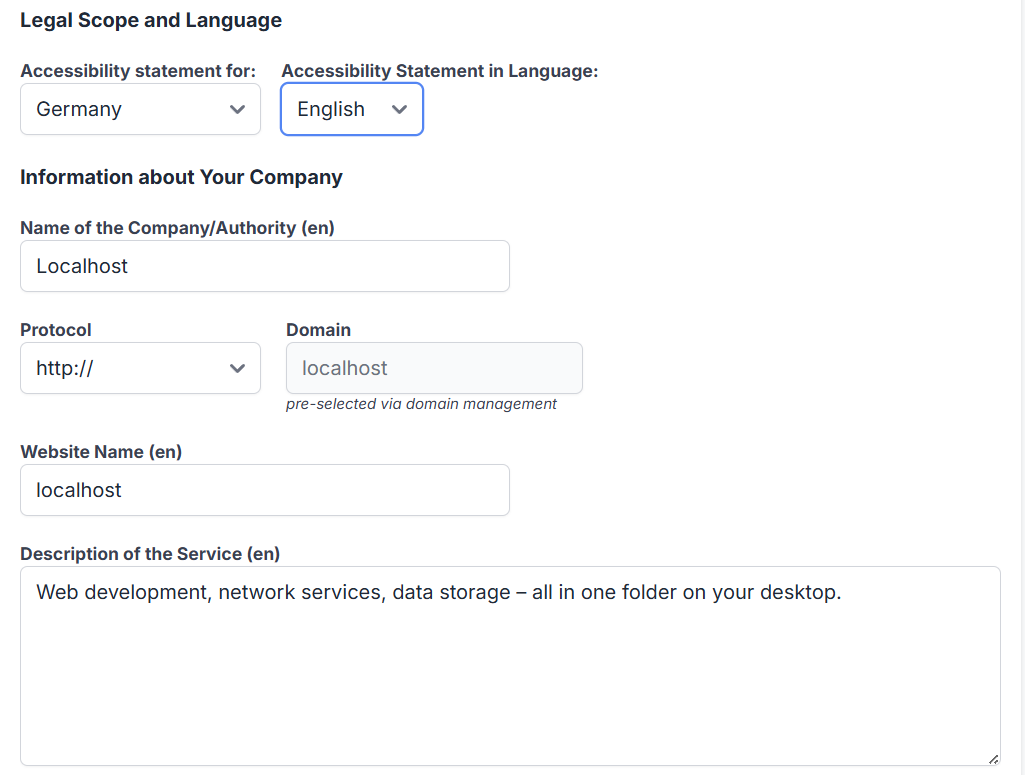
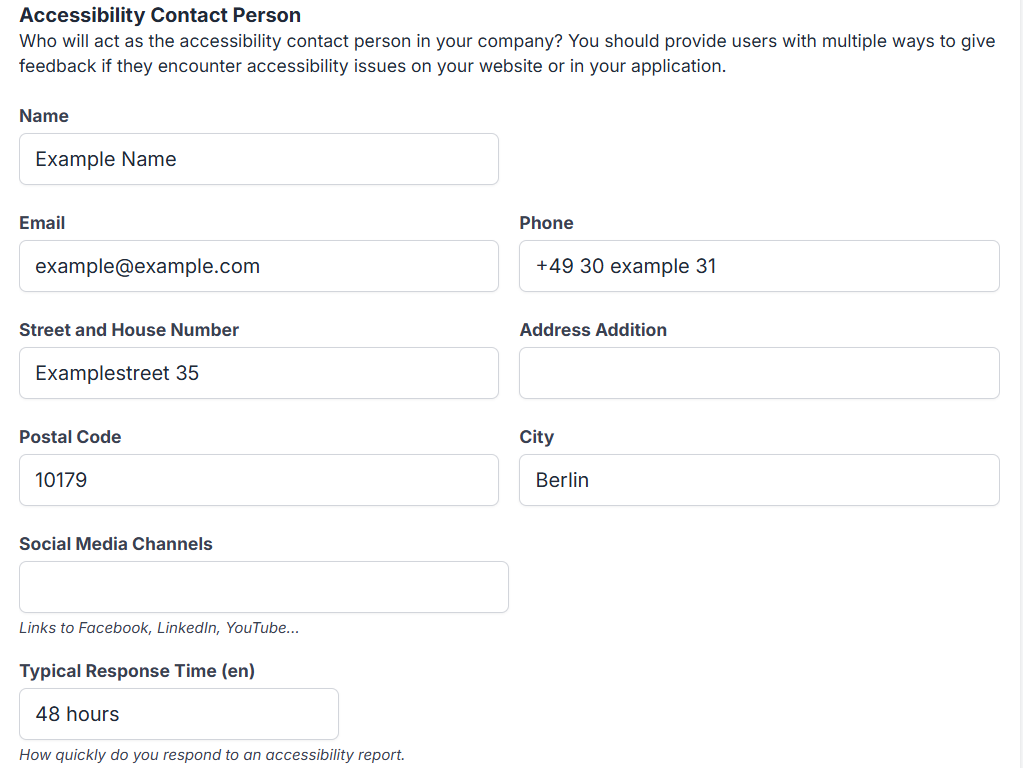
In the first step, you enter basic details about your **company or organization**.
When describing your services, ensure the language is **clear, accessible, and easy to understand**.
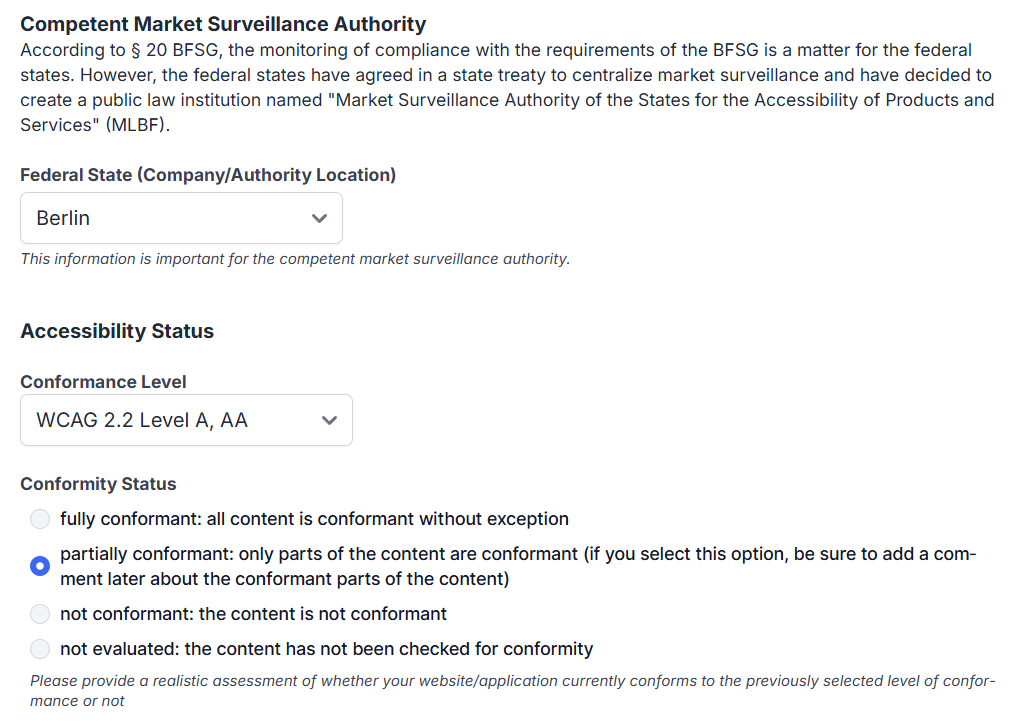
#### **Assessing Accessibility Status**
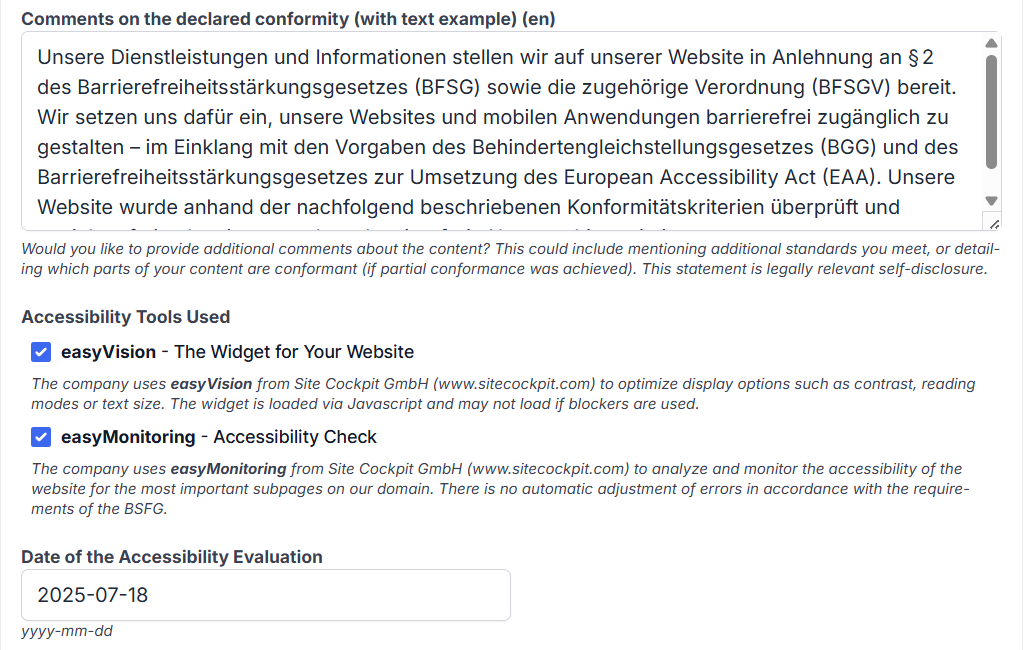
Indicate the **current accessibility level** of your digital content.
Your input should **honestly reflect the actual condition**.
If your status changes (e.g., after an update), you can generate a new version.
A **sample text module** is provided to help describe your level of conformance or non-compliance.
#### **Declaring Additional Technologies and Barriers**
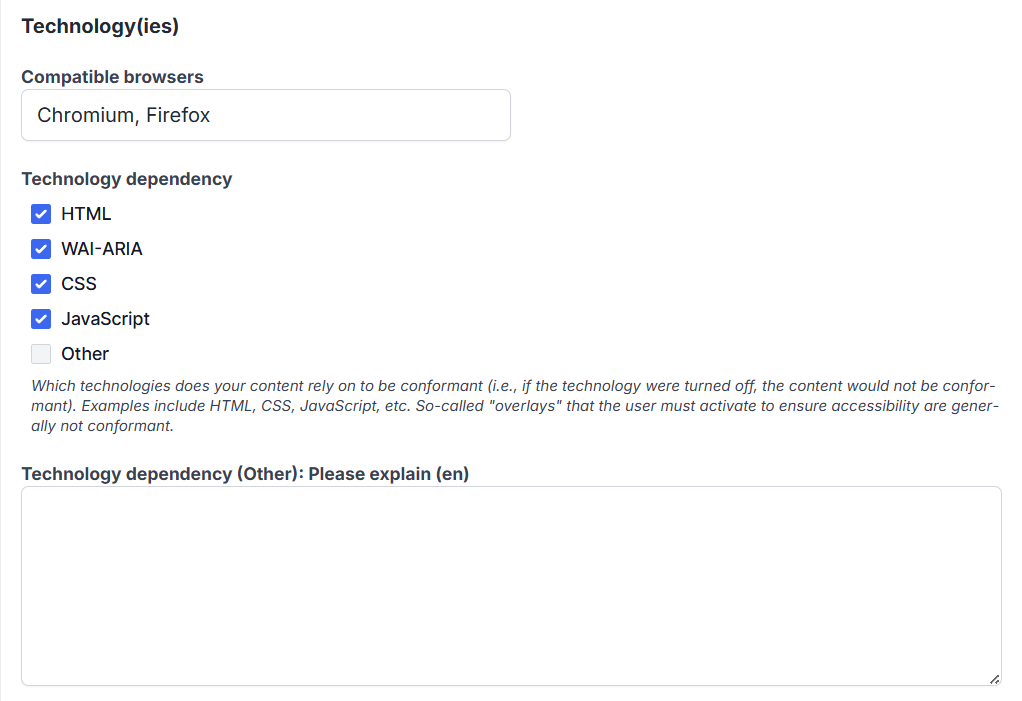
If you are using **technologies not listed** in the form, you can specify them in a **free text field**.
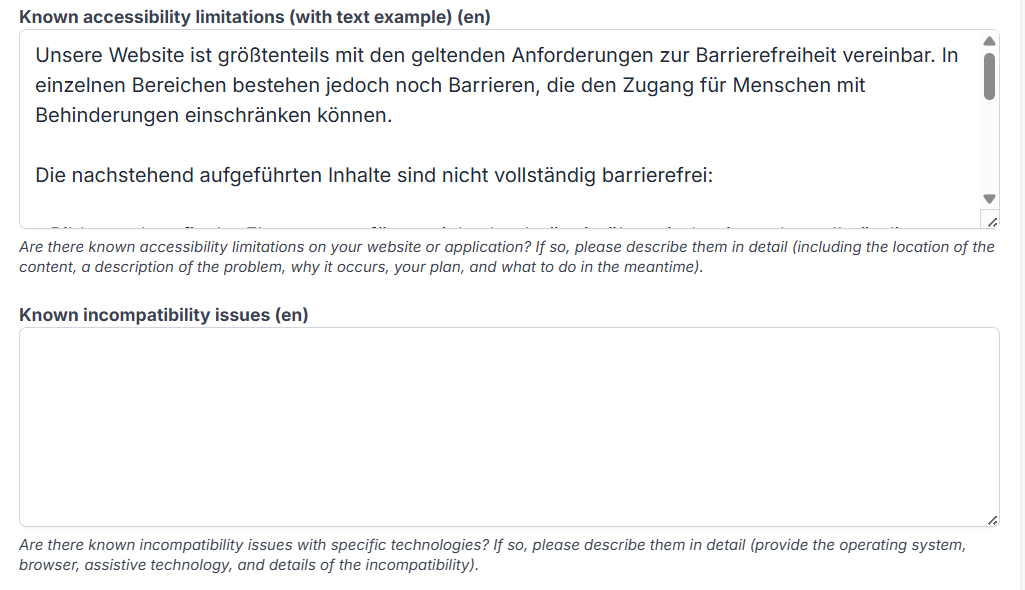
An **example text** is available to illustrate how to describe potential accessibility barriers for users.
If there are known **incompatibilities with assistive technologies** (e.g. screen readers), please enter them in the designated field.
A **precise and detailed description** is highly recommended to improve clarity and transparency.
#### **Declaring WCAG Conformance Criteria**
Specify the **WCAG (Web Content Accessibility Guidelines)** level your digital offer conforms to:
- **WCAG 2.1 Level A**,
- **AA**, or
- **AAA**
Select the level that corresponds to your current implementation.
An **informative tooltip** explains the relevance of each level and its legal implications.

#### **Generating and Managing Statements**
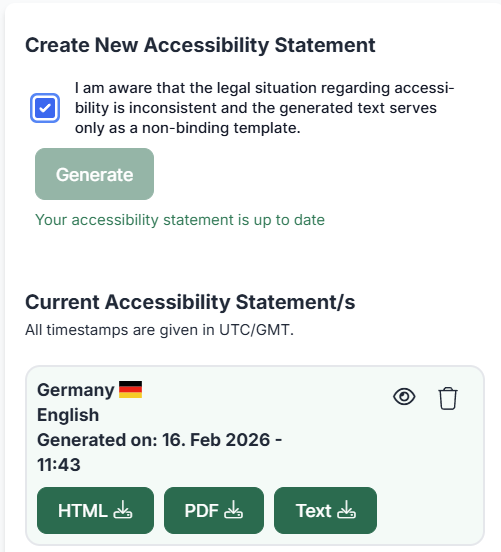
Once you confirm the final notice, you can **generate your accessibility statement**.
Below the generator, you will find an **overview of all previously created statements**, which you can view and download at any time.
**
#### **Embedding on Your Website**
We recommend publishing the final accessibility statement on a **dedicated page of your website**, similar to your imprint or terms and conditions.
Ideally, include a **link in the footer** or in a clearly visible section of your main navigation.
- [General Information](https://help.sitecockpit.com/en/documentation/general-information?hsLang=en#main-content)
- [Information](https://help.sitecockpit.com/en/documentation/general-information?hsLang=en#information)
- [Dashboard](https://help.sitecockpit.com/en/documentation/general-information?hsLang=en#dashboard)
- [Backend](https://help.sitecockpit.com/en/documentation/backend?hsLang=en#main-content)
- [easyVision](https://help.sitecockpit.com/en/documentation/backend?hsLang=en#easyvision)
- [easyMonitoring](https://help.sitecockpit.com/en/documentation/backend?hsLang=en#easymonitoring)
- [easyMonitorung manual checks](https://help.sitecockpit.com/en/documentation/backend?hsLang=en#easymonitorung-manual-checks)
- [easyMonitorung automatic checks](https://help.sitecockpit.com/en/documentation/backend?hsLang=en#easymonitorung-automatic-checks)
- [easyAI](https://help.sitecockpit.com/en/documentation/backend?hsLang=en#easyai)
- [easyStatement](https://help.sitecockpit.com/en/documentation/backend?hsLang=en#easystatement)
- [Contrast Checker](https://help.sitecockpit.com/en/documentation/backend?hsLang=en#contrast-checker)
- [easyLanguage](https://help.sitecockpit.com/en/documentation/backend?hsLang=en#easylanguage)
- [easyVision integration](https://help.sitecockpit.com/en/documentation/easyvision-integration?hsLang=en#main-content)
- [Setup](https://help.sitecockpit.com/en/documentation/easyvision-integration?hsLang=en#setup)
- [Installlation](https://help.sitecockpit.com/en/documentation/easyvision-integration?hsLang=en#installlation)
- [Browser Extensions](https://help.sitecockpit.com/en/documentation/easyvision-integration?hsLang=en#browser-extensions)
- [Servicepartner](https://help.sitecockpit.com/en/documentation/servicepartner?hsLang=en#main-content)
- [General Information](https://help.sitecockpit.com/en/documentation/servicepartner?hsLang=en#general-information)
- [Stripe](https://help.sitecockpit.com/en/documentation/servicepartner?hsLang=en#stripe)
- [Support](https://help.sitecockpit.com/en/documentation/support?hsLang=en#main-content)
- [FAQ](https://help.sitecockpit.com/en/documentation/support?hsLang=en#faq)
- [Ticket system](https://help.sitecockpit.com/en/documentation/support?hsLang=en#ticket-system)
[](https://www.sitecockpit.com/)
Telefon: +49(0)30 403 64 98 98
E-Mail: kontakt@sitecockpit.com
[mailto:kontakt@sitecockpit.com](mailto:kontakt@sitecockpit.com)
Copyright © 2025, Site Cockpit GmbH