- Open the Add-ons Manager
- Search for SiteCockpit
- Select easyVision
- Add the Add-on to Firefox
- Confirm Permissions
- Complete the Installation
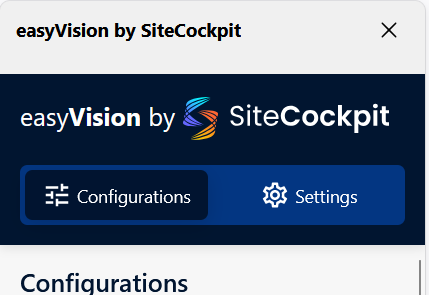
- Configure easyVision
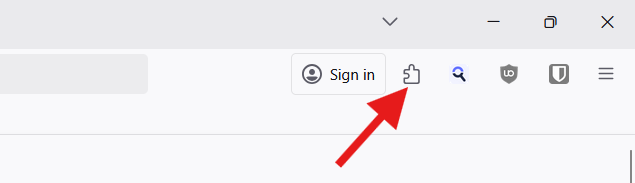
Open the Add-ons Manager
Click the puzzle piece icon in the Firefox toolbar.
Search for SiteCockpit
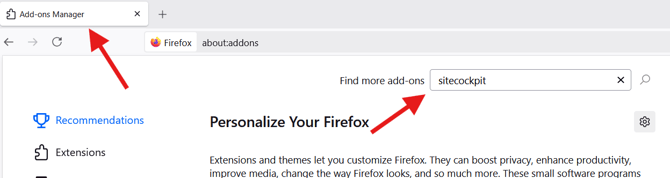
A new tab will open — the Add-ons Manager.
In the search bar, type “SiteCockpit” and press Enter to start the search.
Select easyVision
A new tab will display the search results.
Click on “easyVision by SiteCockpit" to open the add-on’s detail page.

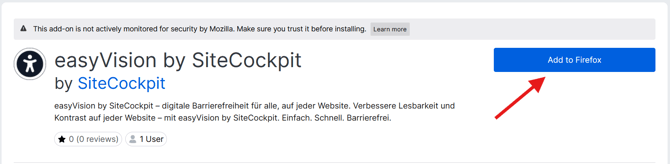
Add the Add-on to Firefox
Click the blue button “Add to Firefox” to begin the installation process.
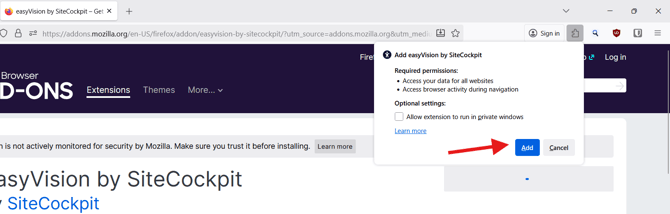
Confirm Permissions
A small window will appear showing the permissions required by the add-on.
You can also choose whether to allow easyVision to run in private windows.
Once reviewed, click “Add” to continue.
Complete the Installation
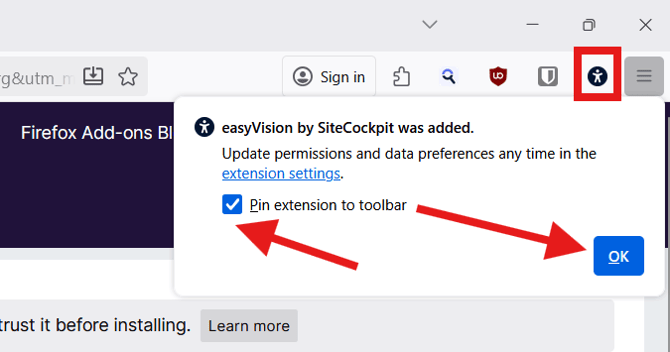
After installation, another small window will appear confirming that easyVision has been added to Firefox.
You can choose to display the easyVision icon in your toolbar.
For easier access, we recommend enabling this option.
Configure easyVision
The add-on has now been successfully installed.
You can configure easyVision according to your personal preferences and start using it right away.