
What this means
When navigating with the keyboard, users must be able to go through the content of a page in a logical order. The order in which interactive elements are switched between using the tab key should correspond to the visual layout and content structure. The focus must not jump to invisible elements or elements outside the screen.
Impact
If the tab order is illogical, users lose their orientation. The focus appears to jump randomly across the page or get stuck in hidden areas. This makes operation considerably more difficult and can make important content or functions inaccessible. The error violates WCAG 2.4.3 (A) Focus Order.
Recommendation
- Arrange interactive elements so that they correspond to the visual order in the DOM.
- Only use tabindex if the natural order needs to be adjusted – and only sparingly.
- Avoid negative tabindex values (tabindex=“-1”) for visible content, as these can no longer be accessed with the keyboard.
- Check whether modal windows, menus, or overlays set the focus correctly when opened and return it when closed.
Examples
Problematic:
<header>
<a href="#main">Skip to content</a>
</header>
<main>
<button tabindex="5">Submit</button>
<a href=""#>Learn more</a>
<input type="text" placeholder="Your name">
</main>
Here, the tab order is arbitrary because tabindex overrides the natural order.
Better:
<header>
<a href="#main">Skip to content</a>
</header>
<main>
<input type="text" placeholder="Your name">
<a href=""#>Learn more</a>
<button>Submit</button>
</main>
A sensible tab order should look like this:
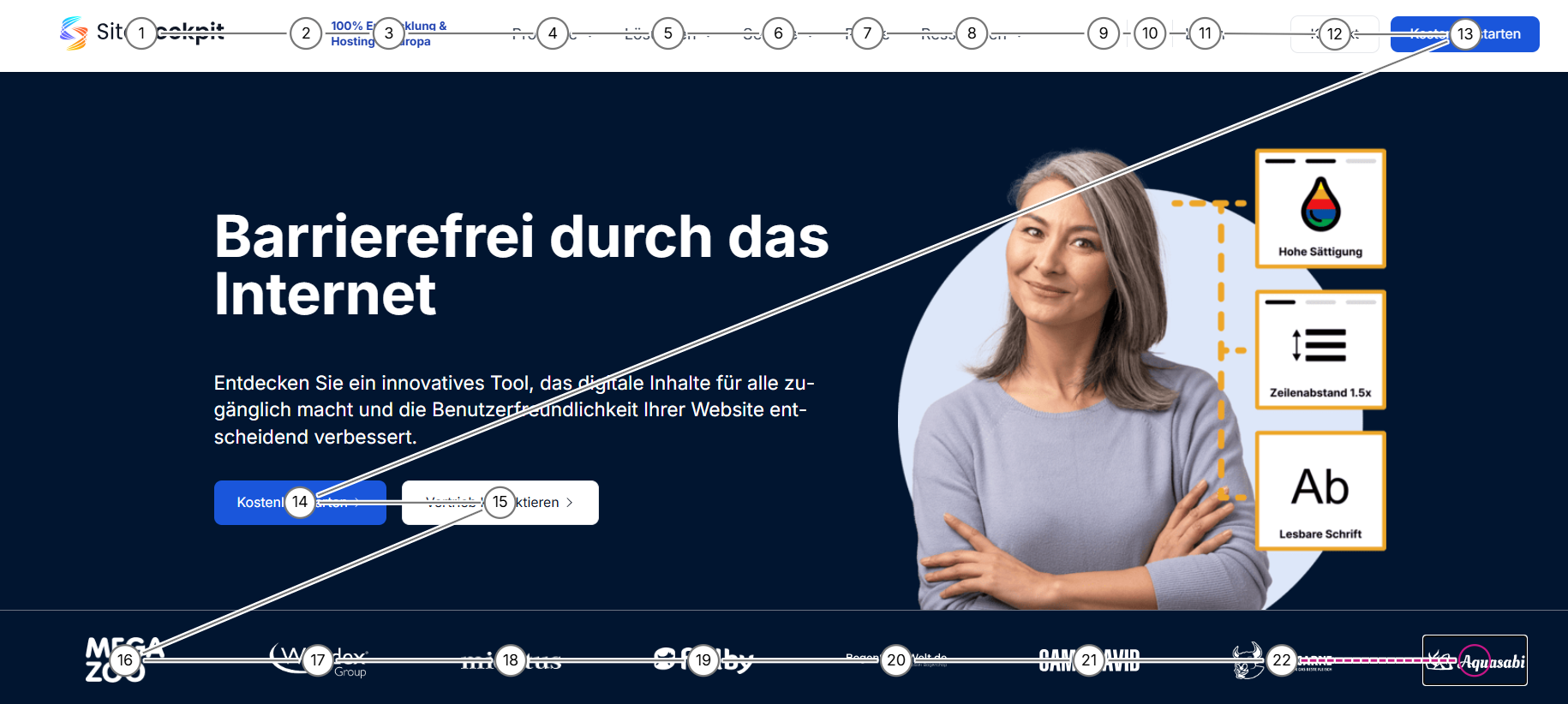
The order follows the visual structure. Users can intuitively navigate through the content using the tab key.
Note
The logical focus order is crucial for keyboard and screen reader navigation. Especially with complex layouts using flexbox or grid, you should regularly check whether the order in the DOM corresponds to the visible display.
Related WCAG criterion:
WCAG 2.4.3 – Focus Order