If the URLs fail to load, you should enable the crawler's IP address. For more information, see: URLs failed to load, what should I do?
Monitoring
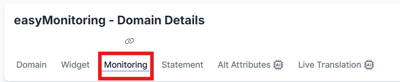
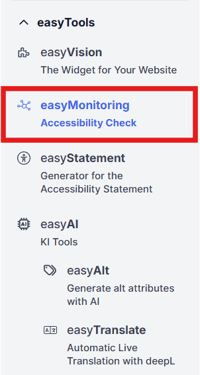
To activate monitoring, go to the “Monitoring” menu item. This can be done either via the page menu or tabs. Then select the appropriate domain:
Importing URLs
Once your domain has been verified, you can import your existing URLs. This is done by clicking the “Import URLs” button:
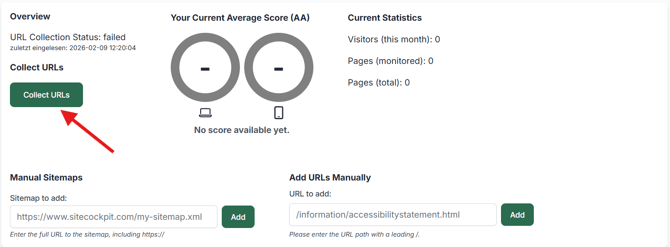
Please note that automatic import depends on the package you have selected. However, you can import the URLs manually at any time.
Add pages to monitoring
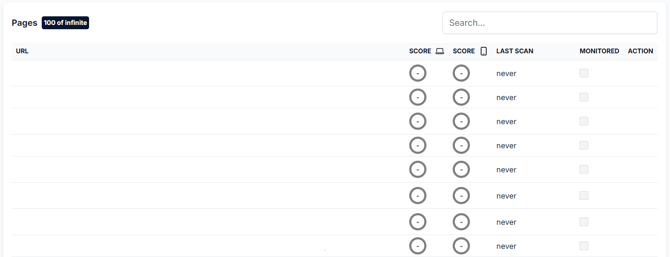
All pages linked to your domain are displayed below. By activating the “Monitored” checkbox, these are added to monitoring:
Page scan
You can check your monitored pages for accessibility by clicking on “Scan now”:
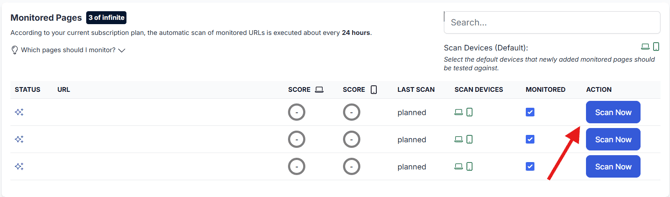
With the scanning devices, you can choose whether to scan mobile, desktop, or both desktop and mobile.
Accessibility score
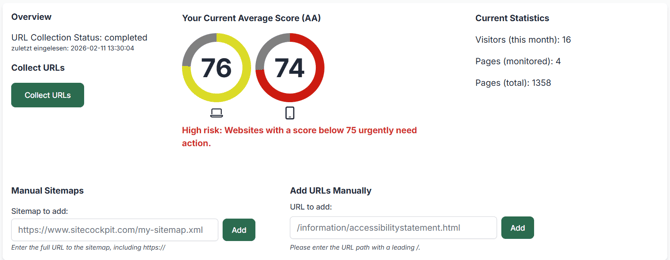
After a successful scan, you will see a score between 0 and 100, where 0 means completely inaccessible and 100 means completely accessible. Once your monitored pages have been scanned, you will also receive a summary of the overall accessibility:
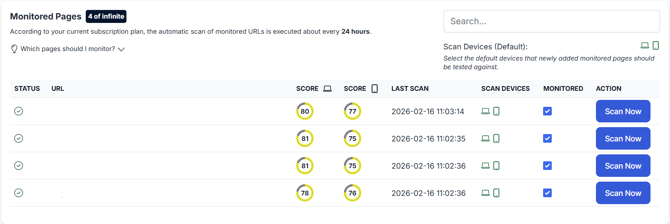
Once your monitored pages have been scanned, you will also receive a summary of the overall accessibility: